
A camera system can look perfect on paper and still fail at the moment you need it. One of the most common reasons is hidden in plain sight: why shared business networks cause CCTV problems often comes down to the fact that surveillance traffic is competing with everything else on site, from tills and phones to guest Wi-Fi, cloud backups and video calls.
For many businesses, using the existing network feels sensible. It avoids extra cabling, keeps installation costs down and appears to make the CCTV system easier to manage. In practice, though, a shared network can introduce delay, packet loss, unstable remote access and gaps in recording that are difficult to spot until an incident has already happened.
Why shared business networks cause CCTV problems in practice
CCTV, especially modern IP CCTV, depends on consistent network performance. Cameras send a constant stream of data to a recorder, a server or cloud-connected platform. Unlike general office traffic, video does not cope well when the network is busy. If the connection becomes congested, the result is often dropped frames, poor image quality or interrupted recording.
That matters because CCTV is not there for convenience alone. It is there to provide usable footage when there is theft, trespass, violence, a liability dispute or a health and safety investigation. A network that works well enough for email is not automatically suitable for surveillance.
The issue is not simply speed. A site may have a fast broadband line and still suffer CCTV faults because the internal network is poorly segmented, overloaded at key times or built around consumer-grade switches and routers. In many cases, the problem sits inside the building rather than with the internet connection itself.
Bandwidth gets consumed faster than most people expect
A single high-resolution camera can generate a considerable amount of traffic, particularly if it is recording continuously, using a high frame rate or covering a busy area with lots of movement. Multiply that across a retail unit, warehouse, school or office block and the figures rise quickly.
Now add the rest of the business. Staff are making Teams calls, customers are using Wi-Fi, EPOS devices are processing transactions, access control is communicating with servers, and automatic backups may be running in the background. When all of that shares the same infrastructure, CCTV traffic is forced to compete.
The result may not be a complete failure. More often, it is a gradual decline in performance – grainy live view, slow playback, cameras disconnecting intermittently, or remote viewing that becomes unreliable during busy trading hours. Those are exactly the sort of issues that frustrate end users and reduce confidence in the system.
Latency and packet loss affect image reliability
CCTV does not just need bandwidth. It also needs stable transmission. When a network suffers latency or packet loss, cameras may appear online but the video can stutter, freeze or arrive out of sequence. In a live incident, even a short delay can make monitoring less effective. During playback, missing frames can make it harder to follow events clearly.
This is one reason professional system design matters. A network can pass a basic connection test and still be unsuitable for evidential video. Security systems need predictable performance, not merely an active link light.
Shared networks create avoidable points of failure
The more services that rely on one network, the more opportunities there are for a CCTV issue to be caused by something unrelated to security. A routine IT change, a firmware update on network hardware, a new VoIP deployment or a guest Wi-Fi expansion can all affect camera performance.
From a facilities or operations point of view, that creates a practical problem. When CCTV is on a shared business network, responsibility can become blurred. The security installer may be asked to investigate image loss that is actually caused by switch configuration. The IT provider may treat the CCTV load as a secondary concern because their priority is keeping business systems online.
Neither side is necessarily at fault, but the site ends up with a system that is harder to support and slower to diagnose.
Power over Ethernet adds another layer of risk
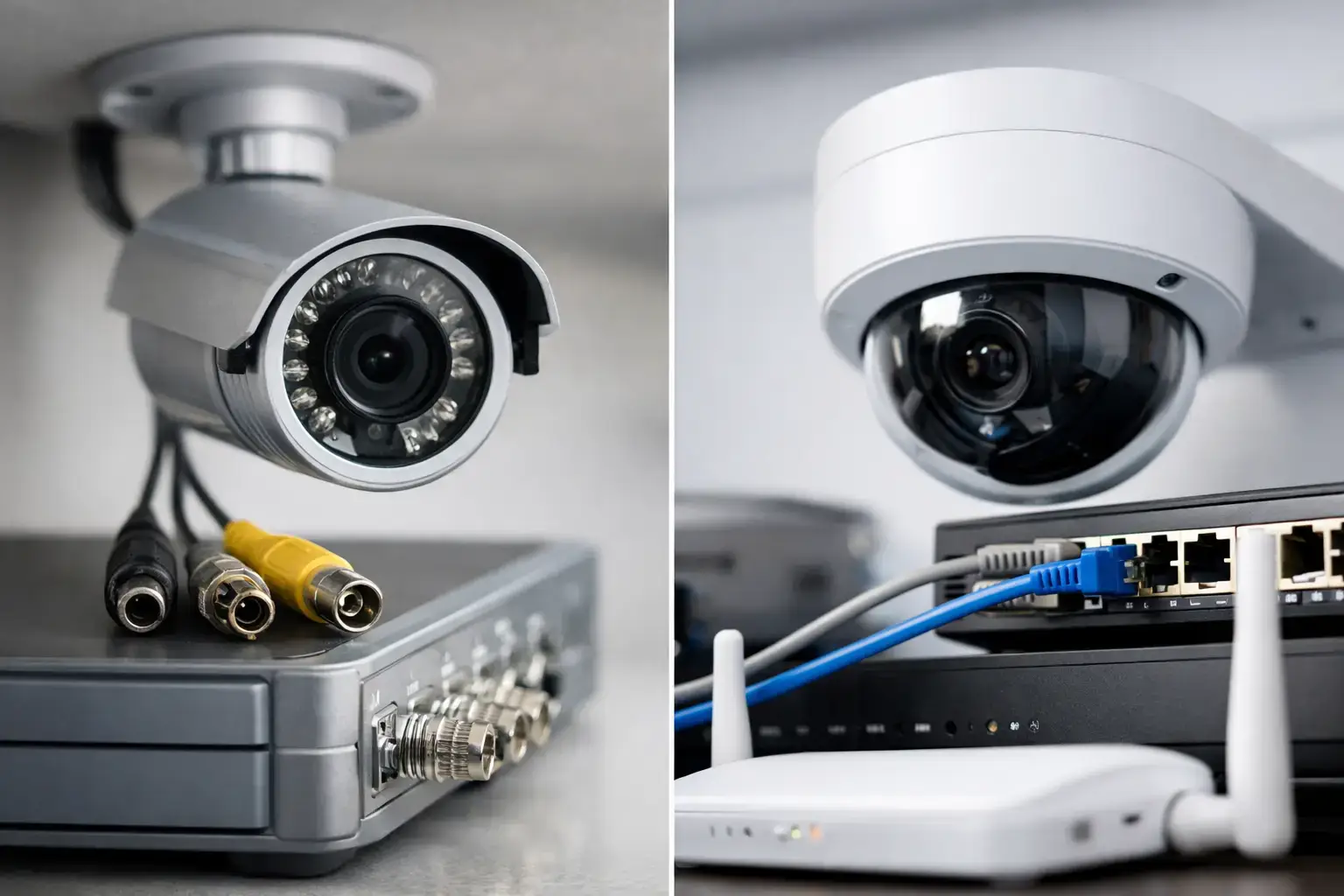
Many IP cameras run on Power over Ethernet. This is efficient, but it means the switch is carrying both data and power. If that switch is underspecified, overloaded or poorly managed, cameras can reboot, disconnect or fail to initialise properly.
On a shared network, switch capacity is often planned around day-to-day IT requirements rather than continuous security recording. That can lead to problems after expansion, especially when extra cameras are added to an existing estate without reviewing the underlying network load.
Security risks increase when CCTV shares general traffic
There is also a cyber security issue. CCTV systems should not be treated as just another office device. Cameras, recorders and remote access gateways are part of the wider security posture of the property. When they sit openly on a shared network with general endpoints, the attack surface becomes broader.
Segmentation helps reduce that risk. Without it, an infected device elsewhere on the network can interfere with CCTV performance or expose surveillance equipment to unnecessary threats. For sites with compliance requirements, sensitive areas or insurer expectations, this matters far more than convenience.
A properly designed CCTV network does not have to be completely isolated in every case, but it should be planned. That may involve VLANs, dedicated switches, traffic prioritisation, secure remote access and restricted permissions. The right approach depends on the site, the risk profile and how the system will be monitored.
Why shared business networks cause CCTV problems for remote viewing
Remote viewing is often the first feature users notice when something is wrong. Footage takes too long to load, live streams buffer, mobile access drops out, or playback from home becomes inconsistent. People often blame the app, but the problem usually starts earlier in the chain.
If the site network is congested, remote users are trying to access video that is already struggling to move internally. If the broadband uplink is shared with general business traffic, off-site viewing may become poor whenever the office is busy. This is common in multi-user environments such as dealerships, care settings, schools and hospitality venues.
For managers who rely on remote access to check deliveries, opening procedures, perimeter activity or alarm activations, that unreliability can make the system feel untrustworthy. The cameras may technically be installed, but the practical benefit is reduced.
When a shared network is acceptable – and when it is not
There are situations where CCTV can operate on a shared network without major trouble. A small site with a handful of cameras, limited user traffic and business-grade network hardware may perform perfectly well. The key point is that it should be assessed, not assumed.
Problems tend to appear on larger or busier sites, on sites with ageing infrastructure, or where CCTV has been bolted onto the network over time. Construction sites, warehouses, schools, healthcare settings and multi-tenant buildings often need more careful design because both the recording demand and the operational risk are higher.
It also depends on the quality expected. If the system only needs casual viewing, the tolerance for minor lag may be higher. If footage may be used for investigations, police liaison, insurance claims or safeguarding, reliability standards should be much stricter.
How to avoid CCTV network issues from the start
The best approach is to treat CCTV as critical infrastructure rather than an add-on. That starts with a proper site survey and a realistic assessment of network capacity, camera bitrates, recording requirements, retention periods and remote access needs.
In many cases, the answer is a dedicated CCTV network or at least a segmented one with appropriate switching, PoE capacity and traffic management. That gives the cameras room to operate consistently and makes faults easier to trace. It also protects the wider business network from unnecessary load.
Where integration is needed with alarms, access control or monitoring platforms, those connections should be planned as part of the design rather than improvised after installation. This is particularly important for commercial premises where uptime, evidential quality and insurer expectations all matter.
An experienced installer will look beyond the cameras themselves. They will assess whether the recorder, switches, cabling and network layout are suitable for the environment, and whether the system will still perform properly when the site is at its busiest. That is a very different standard from simply making the cameras appear on screen.
For businesses across Essex, London and the South East, this is often the difference between a CCTV system that merely exists and one that genuinely protects the site. If your cameras share a network with the rest of the business and performance has become patchy, the issue may not be the cameras at all. It may be the network asking a security system to fight for space it should never have had to share.