A system that worked perfectly on the day it was installed can still let you down months later if no one is checking batteries, detectors, signalling and user settings. That is why an intruder alarm maintenance guide matters – not as paperwork for a file, but as a practical way to keep your property protected, reduce false alarms and avoid faults at the worst possible moment.
For homeowners, landlords and business operators, the aim is simple. Your alarm should activate when it needs to, stay quiet when it should, and communicate reliably with users or a monitoring centre. Getting there takes more than pressing the test button once in a while. It means understanding what can be checked in-house, what needs a qualified engineer, and how maintenance changes depending on the building, the risk level and the type of system installed.
Why intruder alarm maintenance is not optional
An intruder alarm is part of your wider security strategy, but it is also a life-of-system asset. Sensors age, batteries deteriorate, wireless devices lose power, external sounders are exposed to weather, and user behaviour often changes after installation. Doors may be rehung, rooms repurposed, stock moved, pets introduced, partitions added, or access patterns altered. All of that affects how well the alarm performs.
A neglected system tends to fail in predictable ways. You see low battery alerts ignored for too long, detectors blocked by storage, repeated false alarms from poorly aligned contacts, and app or signalling issues left unresolved until there is a genuine activation. In commercial settings, poor maintenance can also create insurer concerns and unnecessary disruption for staff, keyholders and facilities teams.
The trade-off is straightforward. Minimal maintenance may seem cheaper in the short term, but it raises the chance of faults, false call-outs and downtime. Planned servicing costs more upfront, yet usually protects reliability, compliance and response when it matters.
Intruder alarm maintenance guide for routine checks
Not every maintenance task requires an engineer. A sensible routine of visual and functional checks can help you spot issues before they become failures. For most sites, monthly user checks are a reasonable starting point, though higher-risk premises may need closer attention.
Begin with the control panel or app. Look for fault messages, tamper warnings, loss of mains indication, communication errors or low battery alerts. If your system sends notifications remotely, confirm they are still reaching the right people. Staff changes, phone replacements and email filtering often break alert paths without anyone noticing.
Walk the protected areas and check that detectors have a clear field of view. Motion sensors should not be obscured by stacked boxes, seasonal displays, new furniture or signage. Magnetic door contacts should still line up correctly, especially on doors that receive heavy daily use. On larger commercial sites, warehouse doors, roller shutters and plant room access points deserve particular attention because vibration and impact can shift components over time.
External sounders and strobe units should be securely fixed, visibly intact and free from obvious damage. If a bell box looks weathered, cracked or loose, it may still appear presentable from ground level while performing poorly. Likewise, keypads and panic devices should be firmly mounted and easy to operate.
A simple user test is useful, but it should be controlled. Put the system on test if it is monitored, then trigger a detector or open a protected door to confirm the panel registers the event correctly. Avoid random testing without notifying the monitoring provider, as that can lead to unnecessary escalation.
What a professional alarm service should include
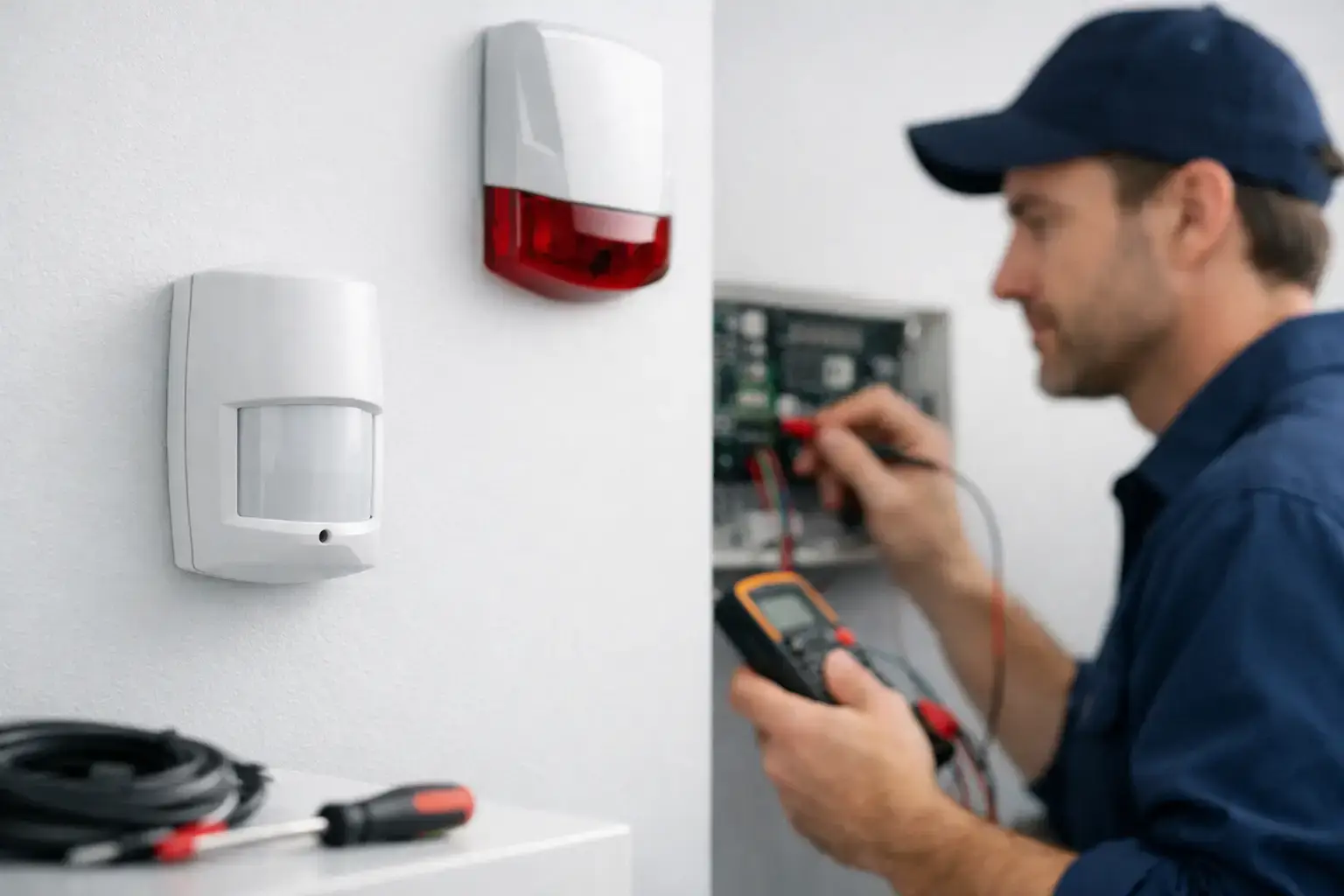
A proper maintenance visit goes further than basic user checks. An engineer should test the core functions of the system, inspect critical components, review event history, confirm standby power condition and verify signalling where applicable. On graded or insurer-recognised systems, maintenance should also reflect the relevant standards and site requirements.
In practice, that means checking detector response, tamper circuits, entry and exit timings, internal and external warning devices, panel health, power supplies and communication paths. If the system has dual-path signalling, both paths should be assessed. If it is integrated with access control, CCTV analytics or fire interfaces, those interactions may also need review.
Battery condition is a common weak point. Backup batteries do not last indefinitely, and neither do batteries in wireless detectors, keyfobs or external devices. Replacing them on condition or within the manufacturer’s expected life cycle is usually wiser than waiting for complete failure. On busy sites, one weak battery can generate a disproportionate amount of disruption.
Professional servicing should also include a conversation, not just a test sheet. Are there new vulnerable areas? Have out-of-hours routines changed? Are there recurring false activations at certain times? A good service visit reviews whether the original setup still matches the way the building is used.
Common faults and what they usually mean
Some alarm problems are obvious, others are misleading. A low battery warning is straightforward enough, but repeated activations in one zone can stem from several causes. It could be a detector fault, environmental change, poor positioning or even a door that no longer closes cleanly.
False alarms are one of the main reasons users lose confidence in a system. In a shop, office or school, frequent unwanted activations can lead to complacency, delayed response and frustration for everyone involved. The answer is not usually to disable the troublesome device and forget about it. It is to identify the cause properly.
Environmental conditions matter more than many people expect. Draughts, temperature swings, loose fittings, insects inside detectors and vibration near entry points can all affect performance. In industrial or logistics settings, changes to layout, machinery or traffic flow can make a detector location unsuitable even though it was correct at installation.
Communication faults deserve quick attention. If your system relies on app notifications, IP connection or monitoring signals, a broadband change, router replacement or SIM issue can leave the alarm working locally but not reporting externally. That is a dangerous gap because users often assume that if the keypad looks normal, the whole system is protected.
How often should an intruder alarm be serviced?
There is no single answer that fits every property. A typical domestic intruder alarm may be serviced annually, particularly where the system is straightforward and the risk profile is moderate. Many commercial systems are better suited to at least twice-yearly maintenance, especially where there is higher footfall, signalling, insurer requirements or greater operational risk.
Premises with stock loss exposure, public access, multiple users or harsh environments may need more frequent attention. Construction sites, industrial units, schools and healthcare settings often place different demands on equipment compared with a standard home or small office.
If you are unsure, base the schedule on three factors: the complexity of the system, the consequence of failure, and any insurer or compliance obligations. A site that would suffer major loss, business interruption or reputational impact from one alarm failure should not rely on the lightest maintenance approach.
In-house checks versus specialist support
There is value in both. Users on site are best placed to notice day-to-day changes – a detector covered by stock, a keypad beeping, a damaged door contact or a cleaner repeatedly triggering a zone. Those observations are useful and should be encouraged.
But in-house awareness is not the same as technical maintenance. Opening equipment, replacing the wrong battery type, changing settings without understanding the programme or bypassing faults to stop nuisance alerts can create bigger issues later. For monitored, graded or insurer-recognised systems, unqualified intervention may also compromise compliance.
The most reliable arrangement is shared responsibility. Users carry out simple checks and report concerns promptly. A competent security provider handles scheduled servicing, fault diagnosis, battery replacement, signalling tests and any programming changes. That approach keeps the system stable without leaving important decisions to guesswork.
Keeping records and planning ahead
Maintenance records are often treated as admin, but they are useful evidence of due care. For businesses, they help demonstrate that security systems are being managed properly. For landlords and homeowners, they create a clearer service history and make it easier to track recurring issues.
A good record should note service dates, faults found, batteries replaced, detectors adjusted, signalling tests completed and any recommendations for future work. If a device is nearing end of life or a section of the building now needs different protection, that should be documented rather than left as an informal conversation.
This is also where long-term planning pays off. If your alarm is repeatedly generating faults, using outdated communication methods or no longer reflecting the building layout, maintenance alone may not be the full answer. Sometimes the right decision is a targeted upgrade rather than continued patch repairs. An experienced provider such as 247 CCTV can advise whether the system needs servicing, reconfiguration or partial replacement based on risk, compliance and budget.
A well-maintained intruder alarm should become almost invisible in daily life – dependable, correctly set up, and ready when needed. If your system demands constant workarounds or gives you reasons to doubt it, that is usually the clearest sign it is time to take maintenance seriously.